Three kinds of software get sold under the same label right now. A chatbot answers questions in a conversation. An SI agent pursues a goal by deciding its own next steps and taking actions in your systems. Workflow automation runs a fixed sequence of steps every time a trigger fires. Vendors blur the lines because "agent" sells, and buyers end up paying for autonomy they did not need, or expecting autonomy from a tool that was never built for it.
This is a decision guide, not a glossary. We build all three, and on many projects the most useful thing we do is talk a client out of the expensive one. Below is what each really is, how they differ where it matters, a short set of questions for choosing, and the cases where plain rules-based automation is the honest answer.
What a chatbot actually is
A chatbot is a conversational interface. Older ones followed decision trees and keyword matching. Modern ones put a language model behind the chat box, often with retrieval over your documents so the answers come from your content rather than the model’s memory. Either way the job is the same: a person asks, the system responds, and the person decides what to do with the answer.
That last part is the defining trait. A chatbot informs. It might look up an order status or summarise a policy, but it does not go off and change things on its own. Its risk is a wrong or misleading answer, which matters, but a human still stands between the answer and any consequence.
How do I choose between a chatbot, an SI agent and automation?
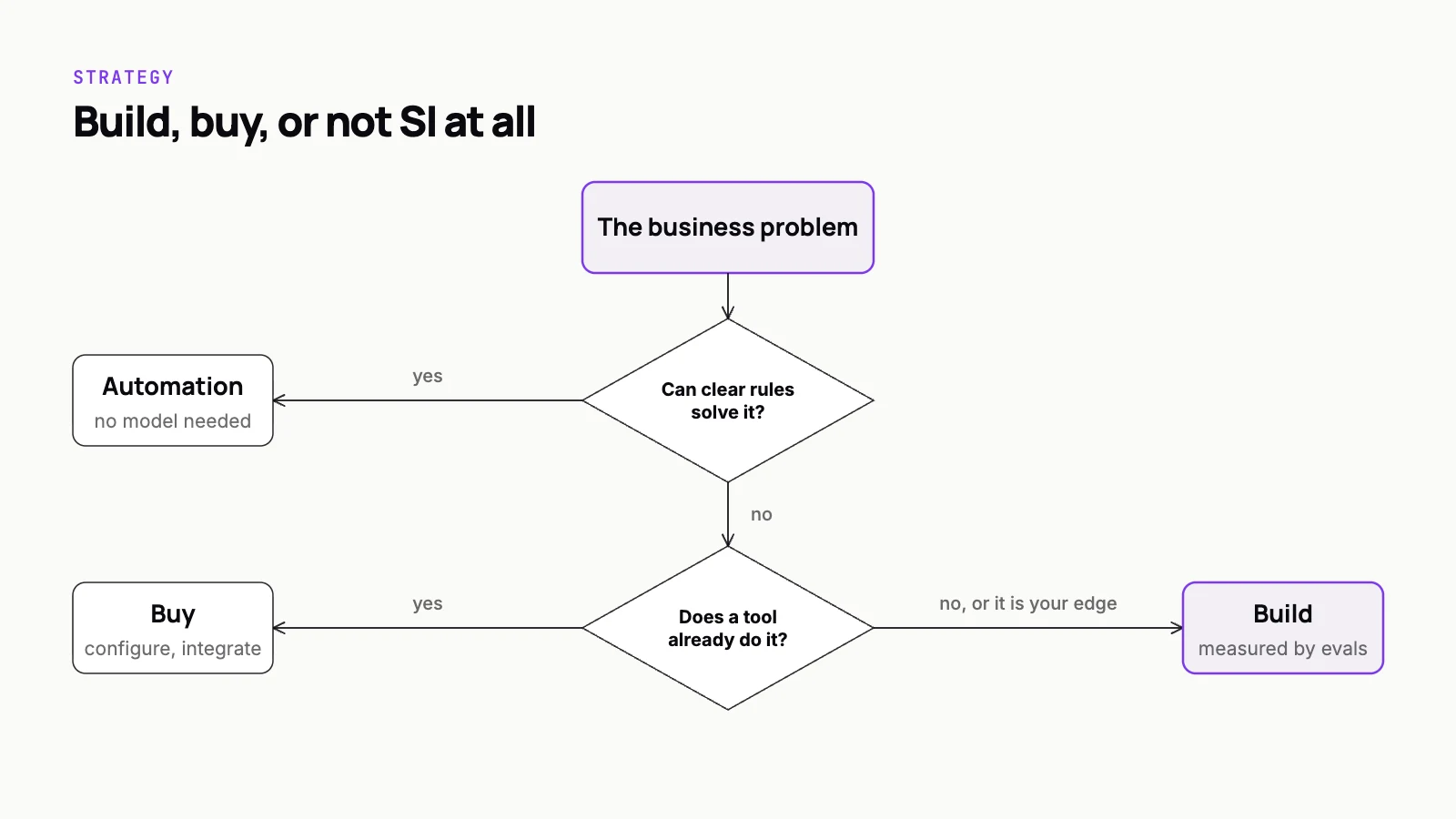
Choose by asking whether the steps can be written down in advance, whether the job is to answer or to act, and what happens when the system is wrong. If the path is the same every time and the inputs are structured, build workflow automation: it runs fixed steps on a trigger, costs little per run, is testable and stops loudly on inputs it does not recognise. If people need information and will act on it themselves, build a chatbot, usually with retrieval over your own content; its worst failure is a wrong answer, with a person between that answer and any consequence. Build an SI agent only when the work needs judgment over messy inputs and several possible paths, because an agent decides its own next steps through tools and can take a wrong action. It also costs more, since it makes several model calls per task. Many strong designs combine them: the model handles one fuzzy step, and deterministic workflows do the rest.
What an SI agent actually is
An SI agent is a language model running in a loop with tools. You give it a goal, it decides which tool to call, reads the result, and picks the next step until the goal is met or it gives up. The tools are the important part: an API that creates a ticket, a query against a database, a function that drafts and sends an email. The model chooses which ones to use and in what order.
That freedom is what makes agents useful for messy work where the path is not known in advance, and it is also what makes them harder to trust. An agent can take a wrong action, not just give a wrong answer. Scoping its tools, putting approvals on anything irreversible and keeping an audit trail are not optional extras. They are part of the design.
What workflow automation actually is
Workflow automation is a fixed path written in advance. When a form is submitted, create a record, notify the owner and schedule a follow-up. Tools like Zapier, Make, n8n and Power Automate do this, and so does plain code with a job queue. Every run follows the same steps, and when an input does not fit, the workflow stops loudly instead of improvising.
Teams sometimes treat this as the unglamorous option. It is usually the most reliable one. It is cheap to run, easy to test and fully predictable, which is exactly what you want for anything involving money, compliance or customer records.
The comparison that matters
Feature tables in this space tend to list things like "natural language" and "memory". The differences that actually decide a build are about control and failure.
- Who decides the next step: the user (chatbot), the model (agent), or the person who wrote the workflow (automation).
- What it can change: a chatbot changes nothing outside the conversation, an agent changes whatever its tools allow, and automation changes exactly what its steps say.
- How it fails: a chatbot gives a bad answer, an agent takes a bad action, and automation stops on an input it does not recognise.
- How you test it: a chatbot against a set of questions with good answers, an agent against scenarios with expected outcomes and forbidden actions, automation with ordinary unit and integration tests.
- What it costs to run: automation is close to free per run, a chatbot pays for model calls per message, and an agent pays for several model calls per task because it reasons between steps.
- What keeps it healthy: automation needs updating when connected systems change, a chatbot needs fresh content and evals, and an agent needs evals, monitoring, permission reviews and someone who reads its logs.
How to choose: four questions
Run your use case through these in order. Most use cases are settled by the second or third question.
- Can you write the steps down in advance? If the path is the same every time and the inputs are structured, you want workflow automation. Stop here.
- Is the job to answer, or to act? If people need information and will act on it themselves, a chatbot, usually backed by retrieval over your own content, is the right shape.
- Does the work need judgment over messy inputs and several possible paths? Reading free-text emails, deciding which system to check and assembling a result from several sources is where an agent earns its extra cost and complexity.
- What happens when it is wrong? Map the worst realistic mistake. If you cannot tolerate it without a human check, design the approval in from the start, whichever option you pick.
That last question is the one we push hardest on, because every option fails sometimes. The real decision is which failure you are prepared to live with and how you will catch it.
Choose the tool whose failure you can afford, then build the safeguards for the failure you chose.
When rules-based automation is the honest answer
Plenty of requests that arrive labelled "we want an SI agent" are really workflow automation with one fuzzy step. An invoice arrives and the fields need extracting, and everything after that is deterministic: match it to a purchase order, check the amount, route it for approval. Building an agent to own that whole flow adds cost, latency and unpredictability to steps that were never uncertain.
Rules win when the inputs are structured, the logic fits on a page, the volume is high enough that per-run cost matters, or an auditor needs to see exactly why something happened. If the honest reason for wanting an agent is that it sounds modern, that is worth saying out loud before a budget is spent. We wrote more about this in when SI is the wrong answer, including the build versus buy question.
The useful pattern in those cases is to keep the workflow and drop a model into the single step that needs it: extraction, classification or a drafted reply. The model handles the ambiguity, the rules handle everything else, and the whole thing stays testable.
Most real systems combine all three
The categories are not exclusive. A customer-facing chatbot can hand off to an agent when a request needs action, and the agent can call deterministic workflows as its tools instead of improvising each step. That layering is often the best design: the model decides what to do, and proven code decides how it gets done.
When we scope SI applications for clients, this is usually where the architecture lands. The agent is narrow and its tools are boring on purpose. If you are planning that kind of system, our guide to business process automation with SI agents covers how to pick the first process and where the deterministic boundaries go.
Before you commit
Write down one real task the system will do, step by step, with the inputs it will see on a bad day rather than a good one. Mark each step as fixed, judgment or action. If the judgment column is empty, build automation. If it is all lookups and answers, build a chatbot. If judgment and action sit together, you are looking at an agent, and the practical steps are in our guide on how to build an SI agent for your business.
Whichever way it falls, the choice is cheaper to get right on paper than in production. If you want a second opinion on which of the three your use case needs, that is a conversation we have often, and our SI applications practice builds all of them, including the cases where the right answer is a few well-tested rules.